
10 Simple Ways to Improve Your Graphic Design
5 min
5 min
#1 Improve Your Inspiration Game
A good design is all about taking inspiration from the real world. So, can you just stop scrolling Pinterest for hours in the name of inspiration, please? Taking inspiration was never about replicating others' designs from plenty of platforms.
Then, from where should you take inspiration?
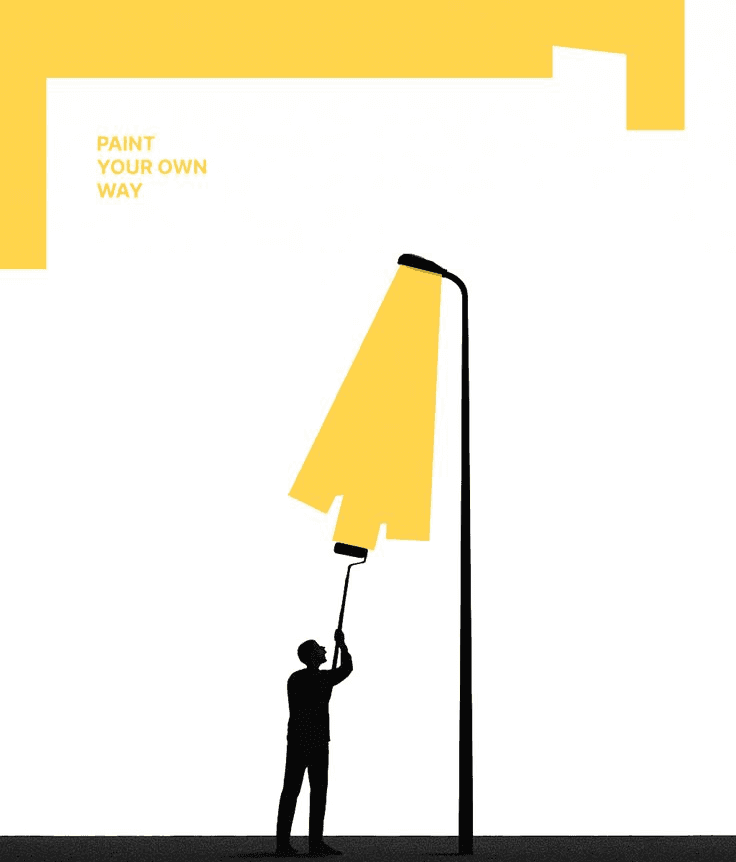
Well, open your eyes and look everywhere, EVERYWHERE. Somewhere, even a ray of light is enough to blow your mind. A ray can be an inspiration to make something like this or maybe something better.
#2 Sketch on Paper First
Yeah, diving straight into Photoshop is sound pahasanating, but it’s a stupid thing to do. Understand the difference:
When you don’t sketch on paper first:
You will burn your time in making 100s of drafts, layouts, alignments, and placements. I know you are dependent on Ctrl+Z, but it will still cost you a lot of time, plenty of drafts and consistent changes from your boss.
When you sketch on paper first:
Use paper as a canvas and just draw your thoughts. Make and erase things 100s of times, keep changing until your brain says yes, now I am clear with a base. Then sit in front of Photoshop, and you will start with a clear, point-to-point ideation.
Plus point: Psychology says that writing with paper and pen generally leads to better memory retention, creativity, conceptual understanding, and cognitive engagement compared to typing on a screen. Handwriting creates a "richer" mental imprint by engaging complex spatial, tactile, and motor actions that activate more brain regions involved in memory.
#3 Give It Time
Give you design time. Of course, not to let it design automatically. This time is not only for your design but eventually for your brain. Most things in life make more sense the next day.
If you're lucky, you might even have a flash of inspiration in the meantime, when you're on your evening run or in the shower or doing whatever else it is that you do when you're not staring into your boring screen, and thinking, “Should I just use Claude for it?”

When you come back to your design the next day, the best and/or the worst things about it will jump out at you.
You'll probably hear yourself thinking "oh man, did I really make that?" or "Hot damn, that looks the shizzle".
Hopefully it's the latter, but if you don't allow yourself some breathing space, you won't know either way.
Also read: How to use AI for social media growth.
#4 Be Consistent
Follow consistency across all touchpoints. Don’t try to match Marvel and DC; choose a side and follow it. Use the same colours, same fonts, same spacing logic across every piece, social posts, decks, ads, everything. Consistency builds brand recognition, and inconsistency confuses people.
#5 Limit Your Options
Yes, yes, I agree the internet is free, so are all the Photoshop tools. But you don’t need to grab them all, put them into one canvas and make it look cultured, clumsy and ewwful. Limit yourself to using a maximum of 2 typefaces at a time. Maybe 3 if it's your boss praised you today.
Limit your fonts, colour palette, textures, ratio and everything that makes a design memorable.
#6 Be Aware, but not slaves, of Trends
Yes, you want to be trendy. But don't follow them blindly. Be aware, not just trendy. The more elements of whatever is currently in vogue that you use, the quicker your design will date.
This is fine, of course, if you are creating something very much of the moment, for a client in fashion, perhaps.
But generally speaking, you want your design to last as long as possible. So don’t dive too much into the trend and all. Don’t even try to copy and paste the trends.
#7 Be a Good Copywriter
“But I’m a designer, why would I learn copywriting?” Okay, and what are you gonna write in your designs? A for Apple?
95% of web design is typography, so clearly, yes, typography is important. Your job as a graphic designer is to create a visual language. But that shouldn't stop you from paying attention to the meaning of the words in your design as well as how they look. Especially given that on many jobs, you are the copywriter as well as the designer.
Spend some quality time on copywriting sites like copyhackers, and you'll soon pick up some new and improved ways with words that will make your designs more effective. By more effective, I mean that they will be more persuasive... more likely to get your users to do the things that you want them to.
Also read: 10 effective marketing strategies for 2026
# 8 Get Feedback Early
Yes, you love your alone time, but not here. Don't design in isolation. Share work-in-progress, not just the final. Fresh eyes catch things you've gone blind to. Even a quick "does this make sense?" to a non-designer is valuable.
#9 Use a Grid
“But I’m a professional, my hand is set, I don’t need grid now.” YOU DO NEED GRID.
The thing is that using a grid doesn't automatically improve a design. You have to be a good designer for this, of course.
So I'm not going to attempt to summarise my approach to grids here. But using grd gives you a sense of direction, and that’s easy to follow.
#10 Don’t use a Grid
I guess what I'm saying is that you don't necessarily need to get your knickers in a twist about grids just yet. Non-conforming designers like David Carson have built entire careers around not using them.
And like all rules, it is there to be broken.
So feel free to ignore any (or all) of the suggestions on this list. But the chance of getting a good design will be 2x if you follow all these tips or rules, whatever you say.
Conclusion
A good design is just about visualising the message and conveying it in the best way possible. Good graphic design isn't about talent, it's about discipline.
The designers whose work stops people mid-scroll aren't necessarily the most creative people in the room. They're the ones who've internalised the basics so deeply that every decision they make, the spacing, the color, the type, the hierarchy, feels effortless but is actually deliberate.
The 10 principles above aren't advanced theory. They're fundamentals. And fundamentals compound. Start applying one, then two, then all ten, and the gap between where your design is now and where it could be closes faster than you'd expect.
Clean. Intentional. Consistent. That's the standard worth chasing. And if these rules are tough to you so stop design because we are here for do it to you motion labs visit now.
FAQ
1. What is the most important principle in graphic design?
Visual hierarchy. If people don't know where to look first, the design has already failed. Everything else, color, type, spacing, supports hierarchy.
2. How do I improve my graphic design skills fast? Study designs you admire and reverse-engineer them. Ask yourself why something works, not just whether it looks good. Deliberate observation beats passive consumption every time.
3. What tools should a beginner graphic designer use?
Start with Canva if you're a complete beginner. Move to Figma or Adobe Illustrator as you progress. The tool matters less than understanding design principles first.
4. How many colors should a design have?
Two to three. A primary, an accent, and a neutral. More than that and you're working against yourself. Restraint is a skill.
5. Can I learn graphic design without a degree?
Yes. Most working designers today are self-taught or took short courses. What matters is your portfolio, not your credentials. Build things, get feedback, iterate — that's the real curriculum.
Give us a call
Related Blogs
SaaS Video Editor Jobs in San Francisco: What to Know Before You Apply
GPT-6 Astra and California tech hiring: what employers should change in 2026
Digital marketing jobs in the USA for freshers: roles, salaries, and how to actually get hired
Best AI Hiring Agency in the US: How to Choose the Right Partner in 2026
Claude AI as a Job Search Agent: What It Can (and Can't) Do for Job Seekers in the USA
Junior backend developer jobs in San Francisco: where to look and how to get hired
Top 10 IT Recruitment Agencies in California (2026)
WordPress developer jobs in the US: how hiring agencies actually fill them
AI UGC Video Editor Hiring Agency in San Francisco | TheFutureJobs
Content marketing jobs in Texas and New York: what hiring agencies are actually filling in 2026

Team
Legal
Privacy Policy
Legal & Rights